
Updated October 14, 2026.
Your contact form says “Message sent.” But did the inquiry reach your inbox?
That small gap between what a website displays and what the business actually receives is why website management matters. Your site needs someone who checks the customer journey, keeps its information current, and knows what to do when something stops working.
A webmaster manages the work that keeps a website useful and functioning. Depending on the agreed role, that can include publishing content, maintaining software, coordinating hosting, testing forms, and reviewing website performance.
For a business, the important question is whether someone is responsible for those tasks—and whether you know what they are checking.
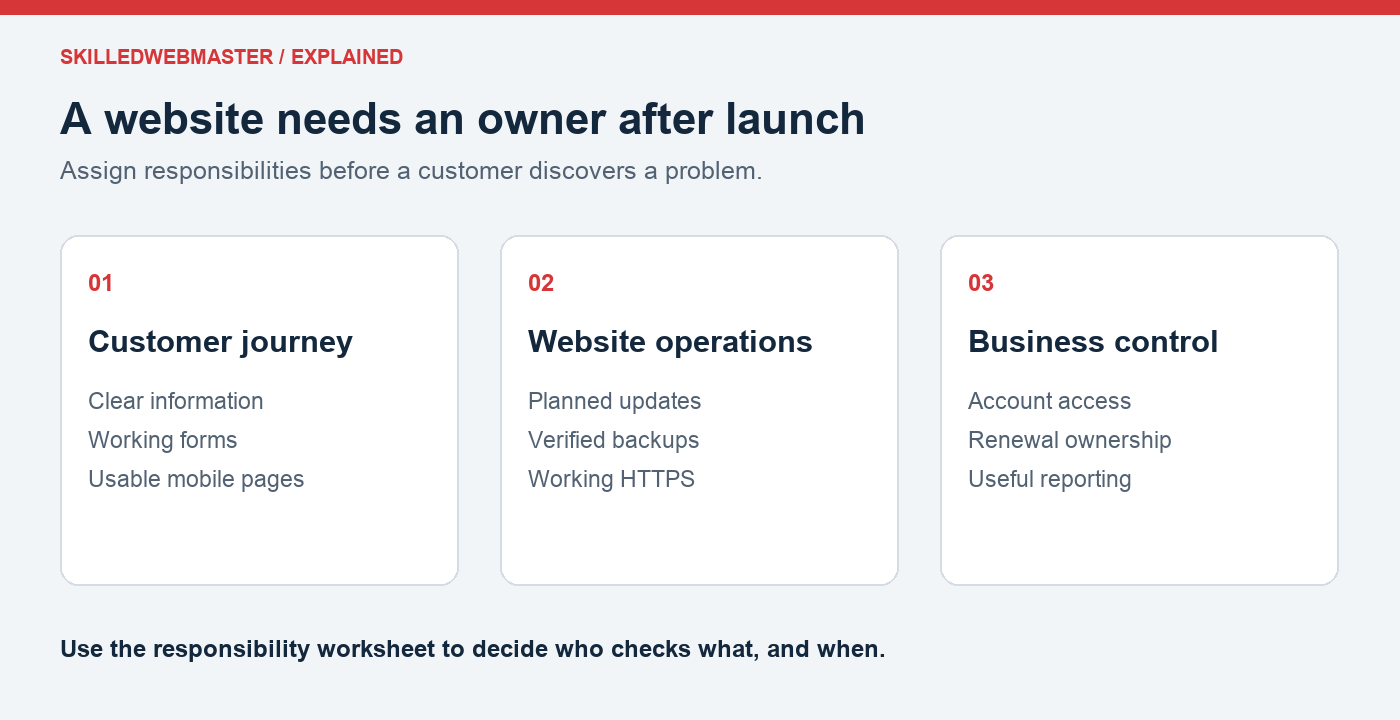
A working page can still hide a broken process
Illustrative example: A repair business has a contact form that shows a confirmation after submission. The owner assumes it works because the page looks normal. During a routine test, a webmaster submits a message labeled “Website delivery test” and confirms that it never reaches the monitored inbox.
The next steps are concrete: check the configured recipient, inspect the site’s mail-delivery setup, test again, and verify that a reply reaches the test sender. Until delivery is confirmed, the page should offer a working phone number or another contact route.
The useful result is evidence that an inquiry completes the whole journey. This is a worked example, not a customer case study or a claim of recovered sales.
Start with a responsibility check
Before hiring anyone, write down who handles your content, forms, updates, backups, renewals, and account access. Blank spaces show where you need an assignment or a service.
Download the website-management responsibility worksheet and use it in your next provider conversation. It includes spaces for the owner, checking frequency, and questions about scope.
What does a webmaster handle?
The responsibilities vary by website and service agreement. A typical website-management checklist covers several areas.
Content and customer information
Someone needs to keep services, business hours, contact details, prices, and other published information accurate. An outdated page can leave a customer unsure whether the business still provides the service they need.
Content work may include editing pages, adding images, correcting broken links, and making sure a visitor can find the next step.
Software and website functionality
On a WordPress website, the core software, themes, and plugins need attention. Updates should be planned with backups and a recovery path, followed by checks of the pages and features that matter to the business.
A webmaster may also investigate errors and coordinate fixes. The exact scope should be agreed in advance: a routine content edit and a new booking system are different pieces of work.
Backups and recovery
Having a backup is only part of the job. Someone should know what it contains, when it was created, where it is stored, and how the website would be restored.
For a website with frequent orders or submissions, the acceptable amount of lost data may be very different from that of a brochure website. Recovery planning should reflect how the business uses the site.
Domains, hosting, and HTTPS
Domain registration, hosting, and certificates have their own settings and renewal responsibilities. A webmaster may coordinate these services, but the business should retain appropriate ownership and access.
A useful starting point is a record of the domain provider, hosting account, renewal dates, and the person responsible for each service. Store passwords and recovery information securely, rather than in a shared public document.
Inquiry forms and visitor experience
A form can appear to work while its messages never reach the right inbox. Periodically submit a test inquiry and confirm that it arrives.
Also review the website on a phone. Check that navigation works, text is readable, buttons are usable, and customers can reach the business without searching through several pages.
Search visibility and reporting
A webmaster may help maintain page titles, internal links, search tools, and reporting. These checks can identify problems and help the business understand which pages attract visitors.
These reports can help you decide which pages need clearer information or a better next step. Evaluate search visibility alongside qualified inquiries, bookings, or purchases.
Is a webmaster the same as a web designer or hosting provider?
These roles can overlap, but their responsibilities are different.
| Role | Typical responsibility |
|---|---|
| Web designer | The website’s presentation, layout, and visitor experience |
| Web developer | Building or changing the site’s technical features |
| Hosting provider | The hosting service and infrastructure covered by the hosting plan |
| Webmaster | Coordinating the ongoing operation and upkeep of the website |
Buying hosting does not automatically assign someone to update your content, test your forms, or manage every WordPress plugin. Likewise, completing a website build does not necessarily include ongoing maintenance.
Before purchasing a service, ask what is included, what is outside the scope, and how issues are handled.
Does your business need a webmaster?
You may be able to manage a simple website yourself if you have the time, access, and knowledge to handle its routine tasks.
Consider outside help or a clearer internal assignment when:
- Nobody knows when the website was last backed up.
- Updates are repeatedly postponed because people are worried about breaking the site.
- Contact forms have not been tested recently.
- Business information is outdated or difficult to change.
- Domain and hosting access depend on a former employee or supplier.
- Website problems take time away from serving customers.
The first step is to identify the work your website needs. Then decide who will handle it, how often, and what evidence will show that it was completed.
Use our website health checklist to identify the tasks your site needs.
Questions to ask before assigning website management
- Which tasks are included, and how frequently are they performed?
- Who owns the domain, website, and hosting accounts?
- What is backed up, and how is restoration handled?
- How are updates tested and problems reported?
- What happens when work falls outside the agreed scope?
- What access and documentation will the business retain if the arrangement ends?
Clear answers help you compare services and avoid assuming that someone else is handling an important task.
Find the right help for your website
Reliable website operation begins with a domain you control, hosting that fits the site, and clear responsibilities after launch.
If you are still planning your website, read What Is a Custom Domain Name? to understand how a domain fits with hosting and email.
Need someone to build, improve, or maintain your site? Discuss your website needs with Townsends.net. Include your website address, the task that is giving you trouble, and what you want visitors to do. That gives the conversation a useful starting point for agreeing on the scope and cost.
Prefer to learn the work yourself? Follow Build and Maintain Your First Website. Each lesson uses one practice website and ends with a task you can check. The first lesson explains how domains, DNS, hosting, email, and HTTPS fit together.
Looking for domains or hosting? Browse domain registration and website hosting at SkilledWebmaster. For questions about a SkilledWebmaster product or account, contact support.