
Part of Build and Maintain Your First Website. Start here, then return to the series hub for the next available lesson.
Before building a website, map the services it will depend on. A domain name, a website, and an email mailbox are connected, but purchasing one does not automatically provide the others.
In this lesson, you will create a provider map for a fictional neighborhood repair business. The business wants a Home page, a Services page, and a Contact page that delivers inquiries to a monitored inbox.
Your outcome: a one-page record of the services, account owners, and checks needed before launch. You can complete this exercise without purchasing a domain or hosting plan.
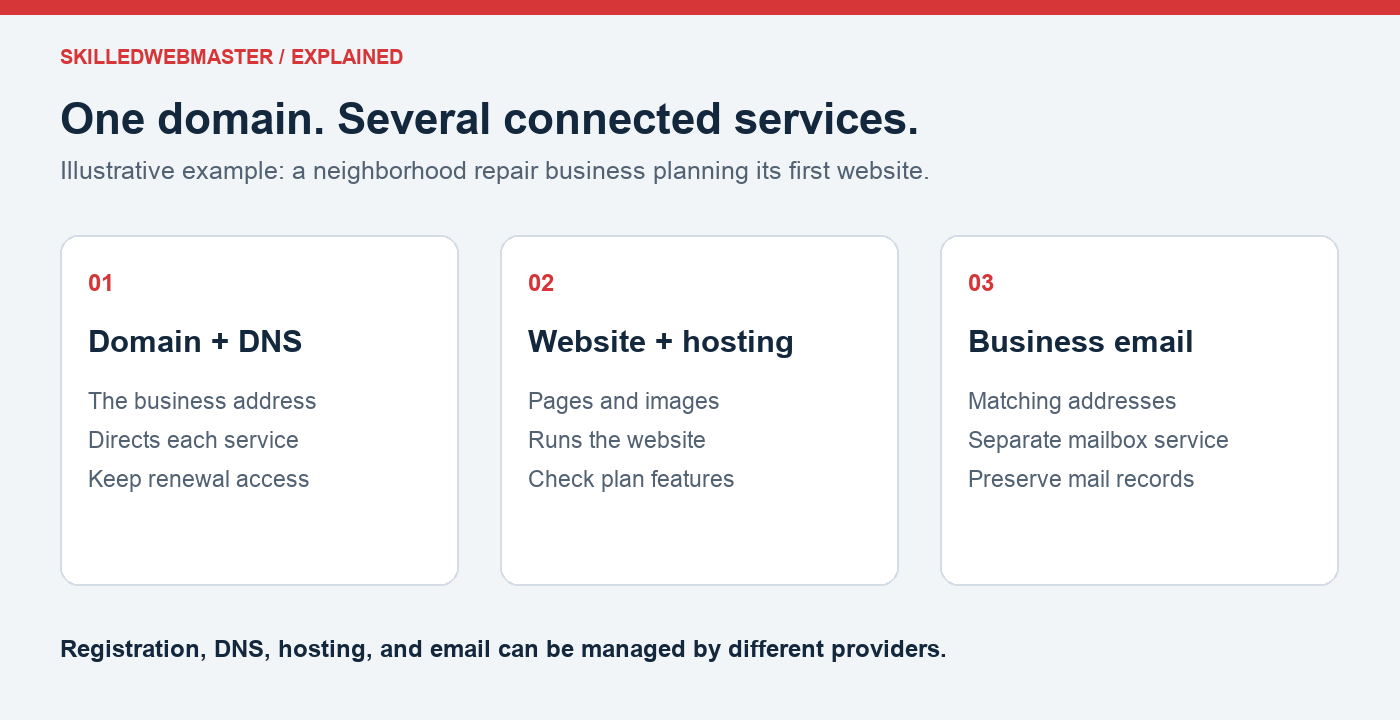
Step 1: Name the parts
- Domain registration: the business address and its renewal.
- DNS: the records that direct that address and its subdomains to services.
- Website platform or hosting: the environment that serves the site’s pages.
- Website content: the information and features the visitor actually uses.
- Email: the mailbox or delivery service that receives messages.
- HTTPS: the certificate and configuration that protect the website connection.
Providers may bundle some of these parts. The map should show what is actually included, not what you assume is included.
Step 2: Build the provider map
| Part | Provider or planned choice | Account owner | How you will check it |
|---|---|---|---|
| Domain | To be selected | Business owner | Confirm registration and renewal access |
| DNS | To be selected | Business owner or authorized administrator | Confirm the required records are documented |
| Website / hosting | To be selected | Business owner | Open the published site and key pages |
| To be selected | Business owner | Send and receive a test message | |
| Inquiry delivery | To be configured | Website manager | Submit a form and reply to the sender |
| HTTPS | Confirm with the platform or host | Website manager | Open each visitor-facing hostname without a warning |
Use the domain-planning worksheet for your notes. For a real business, store credentials in an appropriate password manager; this map should contain responsibilities, not passwords.
Step 3: Trace one inquiry
Write down the complete journey:
- A visitor enters the website address.
- DNS directs the address to the website service.
- The website presents its pages over HTTPS.
- The visitor fills in the contact form.
- The configured delivery service sends the inquiry to the monitored inbox.
- The business replies, and the visitor receives the response.
The site loading proves only part of this journey. Later lessons will test the form and reply process directly.
Step 4: Spot the assumptions
For the practice business, answer these questions:
- If you register the domain today, what remains before a website exists?
- If you change hosting later, which email records must remain?
- Who can renew the domain if the person who built the site is unavailable?
- Which provider handles a hosting fault, and who handles an incorrect form recipient?
- Which addresses need HTTPS coverage?
If you cannot answer one, write it as a question for the provider or administrator. Identifying a gap is useful progress.
Your completion check
You are ready for the next lesson when you can explain each service in plain language, name an owner for it, and describe a test that would show it works.
Save your provider map. Continue to Lesson 2: Plan a Website That Helps Visitors Act. Use your map to plan the site’s pages, inquiry process, and visitor action.
For more detail, read the custom-domain guide. When you are ready to choose services, review domain options and hosting options at SkilledWebmaster.